Making AI-Assisted Pins in the Age of “AI Modified” Labels: A Provenance, Disclosure and Appeals Workflow
Pinterest adds an “AI modified” label to image Pins its systems detect as generated or altered with AI, using metadata, classifiers and sometimes the creator’s own indication. You can appeal through support. Keep a provenance record for each Pin, describe AI use honestly, test your own results, and don’t strip metadata to hide AI use.
In this guide
- Pinterest labels Pins using IPTC metadata, image classifiers and, in some cases, what the owner says. Classifiers work without obvious markers
- Appeals go through Pinterest support. Creators report slow or repeated replies
- “See fewer” tells Pinterest to recommend less of that type of content to that user. Pinterest hasn’t published data on creator reach
- The safest workflow is honest labelling, saved source files and your own paired tests
What does Pinterest actually do with AI-generated Pins?
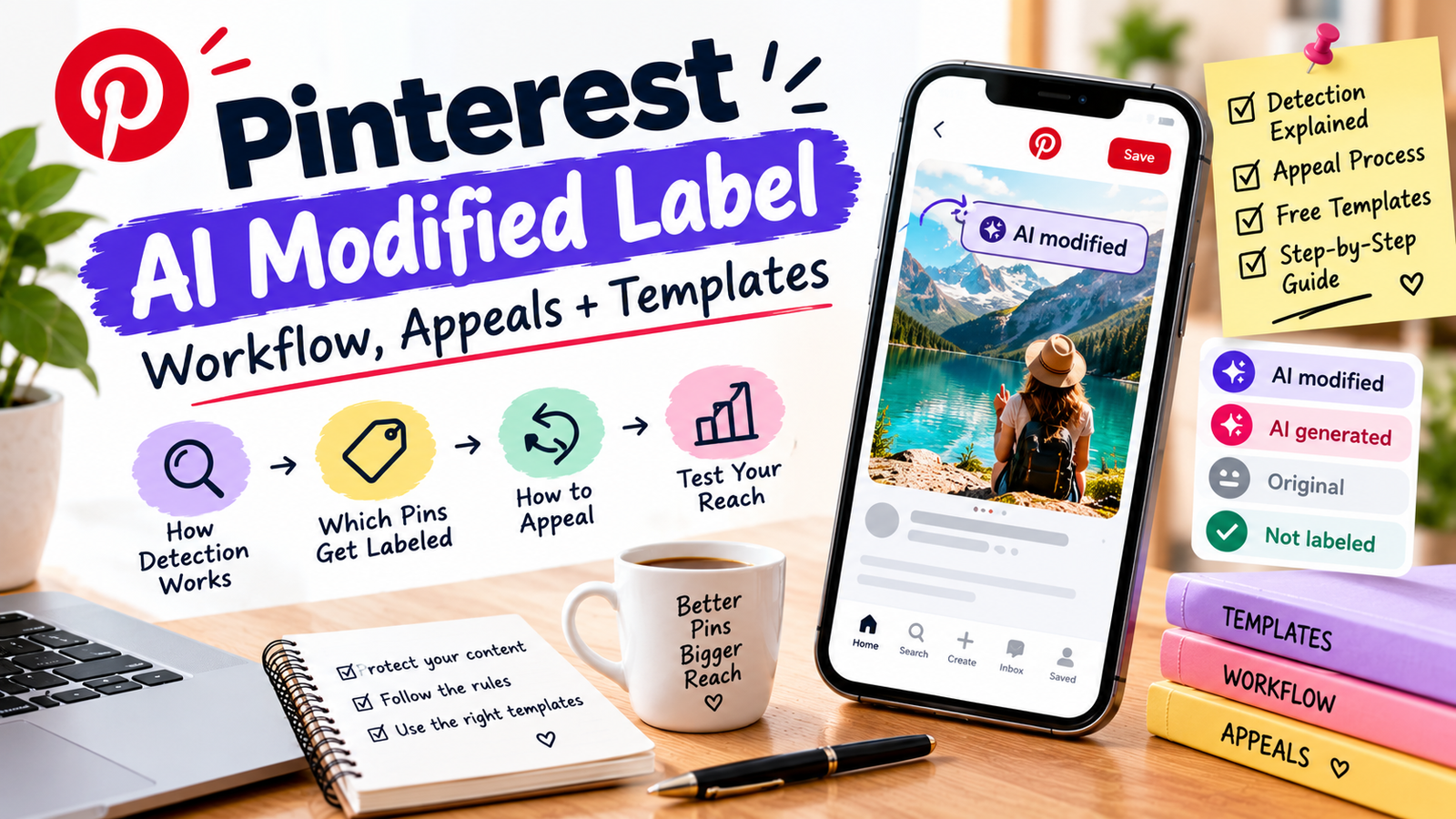
Pinterest began rolling out “AI modified” labels globally on April 30, 2025. When someone opens an image Pin in close-up, the label appears at the bottom left. Pinterest says it analyses an image’s metadata and has also built classifiers that detect Gen AI content even if it has no obvious markers. It admits these systems aren’t perfect, which is why it created an appeals route.
The Help Center adds two details. First, for Pins that aren’t in a promoted state, the label shows in close-up. For ads, the disclosure appears in the details behind the ellipsis menu instead. Second, to appeal a label you contact Pinterest’s support team.
| Feature | What Pinterest says | Source |
|---|---|---|
| “AI modified” label | Shown in close-up on Pins detected as generated or modified with AI | Newsroom, April 2025; Help Center |
| Detection | IPTC metadata plus classifiers that work without obvious markers | Newsroom; Help Center |
| Appeals | Contact support if you believe a Pin is mislabeled | Help Center |
| “See fewer” | A user setting that signals Pinterest to recommend less of this content, starting with categories like beauty and art | Newsroom, April 2025 |
| Wider controls | Reported expansion to more categories and a Gen AI interests setting in October 2025 | Secondary coverage; check Pinterest’s pages |
What do we actually know about reach?
Less than most articles imply. Pinterest says “see fewer” sends a signal to recommend less of that type of content to the user who chose it. It has not published data showing how labels or that setting affect any creator’s impressions. A forum reply in Pinterest’s own Business Community speculates that many “see fewer” clicks could slow a Pin’s reach, but that is one user’s guess.
What is documented is friction. In the same community, a creator who says they draw by hand reports false “AI modified” labels and slow support replies. Another comment says even saving a JPEG from an editing program was treated as AI-modified. Those are individual reports, not proof of how often it happens.
Which Pins are most exposed?
Pinterest hasn’t published a list. This table is my assessment of where the risk sits, based on the categories it has named and on how detection works.
| Pin type | Exposure | Why |
|---|---|---|
| Fully AI-generated scenes, people or products in beauty, art, fashion or home décor | Higher | These are categories Pinterest named for “see fewer” controls |
| Real photo with heavy AI editing or fill | Medium | Metadata or classifiers may flag edits |
| Real photo with light retouching | Medium | False positives are reported by some creators |
| Text graphics, charts, screenshots with your own layout | Lower | Little for an image classifier to flag as generated |
| Real photos or screenshots of your own testing | Lower | Also the strongest proof for review content |
If you pin affiliate reviews, real photos and screenshots of your own testing do double duty. See our proof-first affiliate review kit, and don’t use AI images to imply you tested something you didn’t.
What is a sensible provenance workflow?
- Decide the AI role for each Pin. None, assisted (ideas or layout), edited (AI changed a real image) or generated (AI made the image).
- Save your evidence. Keep the source files, prompts or settings, layered design file and export date in one folder per Pin.
- Log it. One row per Pin in the provenance log, including the tool and the human work you did.
- Use Pinterest’s own indication honestly. If a Pin is AI-generated or modified, say so where Pinterest asks. Its Help Center says owner indication can add the label.
- Add a plain description line. One sentence on how AI was used. Use the line bank.
- Check the live Pin. Open it in close-up, logged in and logged out, and note whether a label appears and when.
- Appeal wrong labels, with your evidence attached, and record the date and outcome.
Affiliate Pins have a second layer of rules on top of this. See our guide to Pinterest affiliate disclosure. If you sell AI-assisted downloads, our guide to selling AI-made digital products covers platform disclosure on that side.
How do you appeal a wrong AI label?
Pinterest’s Help Center says to contact its support team if you find an AI label on one of your Pins and want to appeal. Use the support contact route from the Help Center article, and gather your evidence first.
- Collect proof: the original photo or layered design file, creation date, and any raw camera or editing exports.
- Note the exact Pin URL and take a screenshot showing the label.
- Write a short, factual message with what you made, how, and what evidence you can provide.
- Submit through support, keep the ticket number, and record the date in your log.
- Follow up politely. One creator in the community reports repeated replies without a result, so keep your evidence ready for escalation.
How do you test whether labels affect your Pins?
Since there’s no official data, run your own small test. Be careful about conclusions, because Pinterest results vary a lot.
- Make pairs. Two Pins on the same topic and board, one AI-assisted and one with a real photo or screenshot, published close together.
- Record the same metrics after 7 and 30 days: impressions, saves and outbound clicks.
- Note label status for each Pin, and the date you saw it.
- Repeat across at least ten pairs before drawing any conclusion. One pair proves nothing.
- Look for patterns by category. Pinterest’s “see fewer” controls started in specific categories, so results may differ by topic.
FAQ
Does Pinterest label AI-generated Pins?
How does Pinterest detect AI images?
How do I appeal an AI label on my Pin?
Do AI labels reduce my reach?
Can I remove metadata so my Pins aren’t labelled?
Is AI-generated content allowed on Pinterest?
Do AI labels apply to ads?
Should I use AI images for affiliate review Pins?
Where to start
Pick your ten best-performing Pins, record how each was made in the provenance log, and open each one in close-up to see whether a label shows. Then fix descriptions and save evidence for any Pin you’d need to defend.
Pinterest Newsroom: Introducing Gen AI Labels (April 30, 2025) · Pinterest Help Center: Gen AI labels · Pinterest Business Community: Introducing Gen AI Labels · Pinterest Business Community: creator reports of mislabeled work · TechCrunch coverage · Metricool: Pinterest AI controls (secondary, October 2025 details). Labels, controls and policies change; confirm on Pinterest’s own pages. General information, not legal advice.